
Lightshot: a SwiftUI teleprompter app with a Go backend.
Luminous designed and built Lightshot end to end: an iPhone teleprompter in SwiftUI that follows your voice, its Go and PostgreSQL backend, and its website.
- Product
- Lightshot
- Engagement
- Our product · on the App Store
- Industry
- Creator tools
- Focus
- SwiftUI · Go · PostgreSQL · Web
For iPhone, with iOS 26.5 or later.
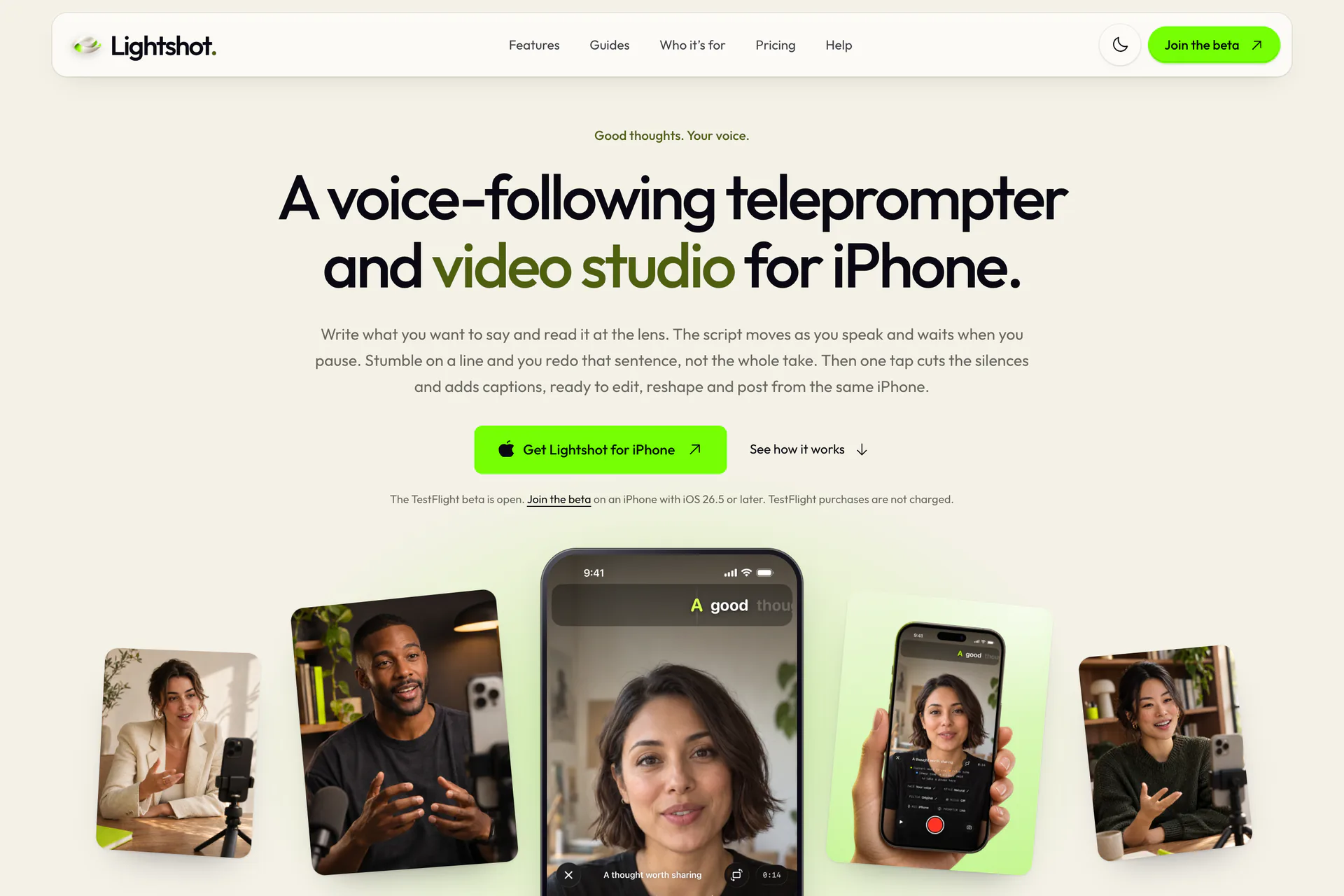
The product problem
Recording yourself on a phone usually means memorising lines or reading a teleprompter that scrolls at its own speed. Lightshot had to keep the script beside the lens and move with the speaker's voice, let a fluffed sentence be redone without restarting the take, and carry the video through captions, edits and posting without leaving the iPhone. Accounts, subscriptions and scheduled posts to social networks needed a backend behind it.
What Luminous built
Built the iPhone app natively in Swift and SwiftUI, with SwiftData for scripts and takes, and an Apple Watch app that works as a remote for the recorder.
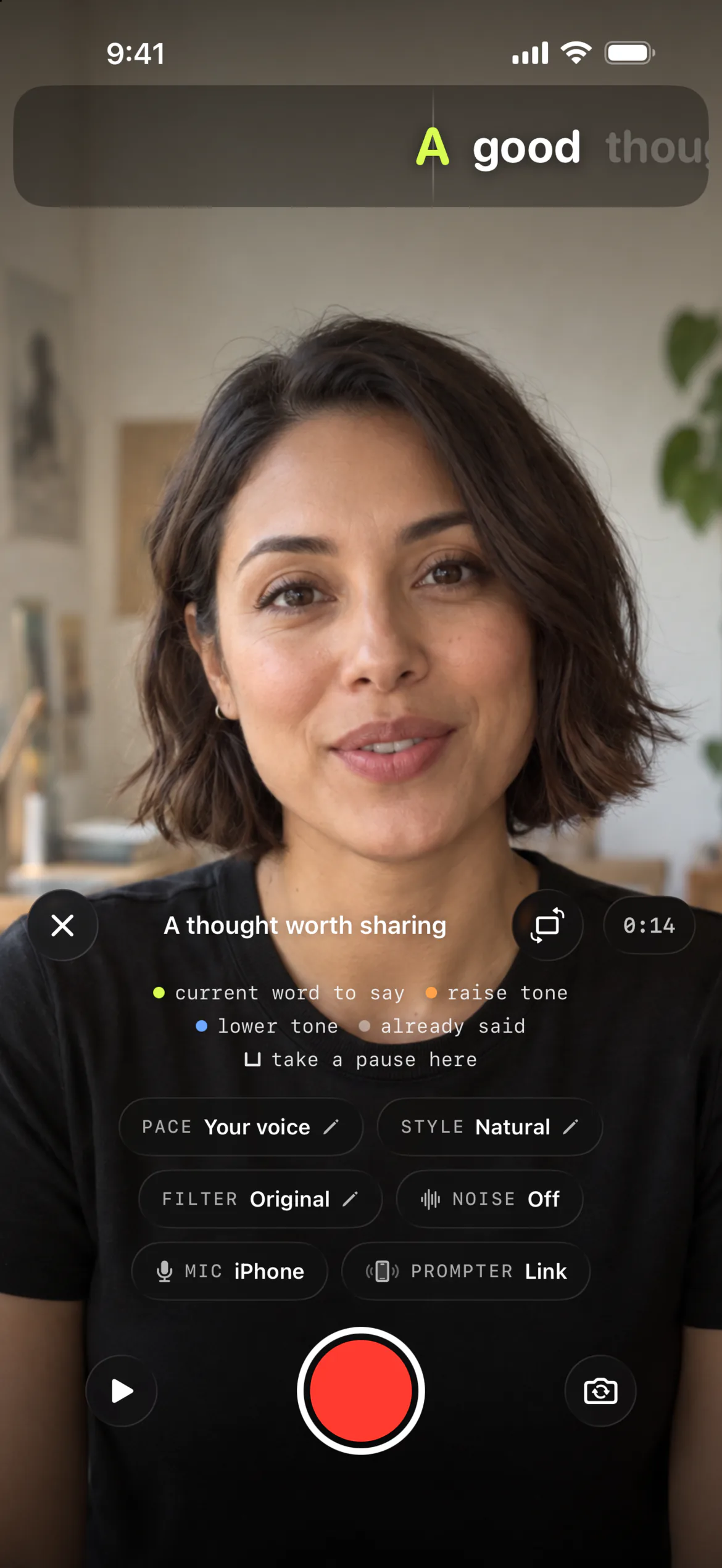
Made the script follow the speaker with Apple's on-device speech recognition: it learns the reader's pace, waits when they pause and holds its place when they go off script.
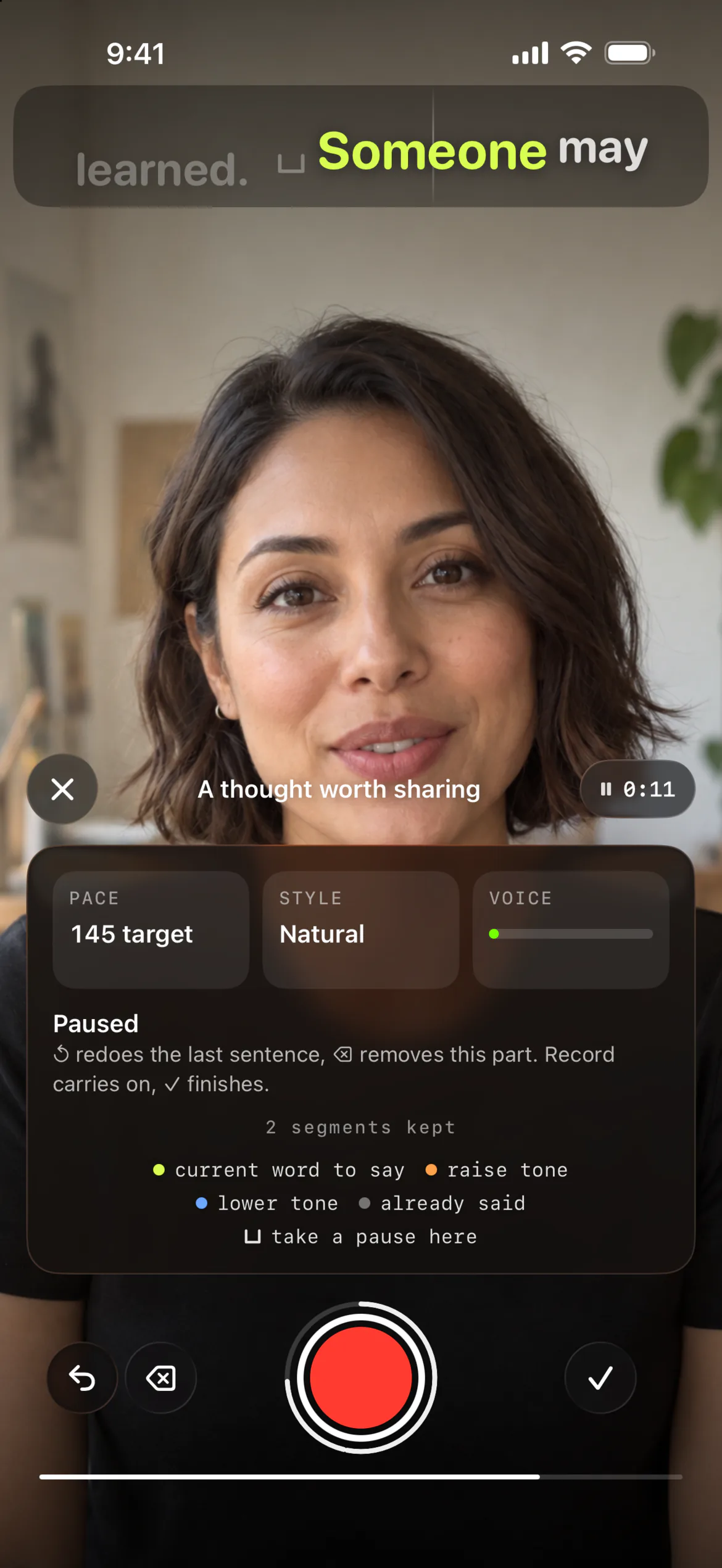
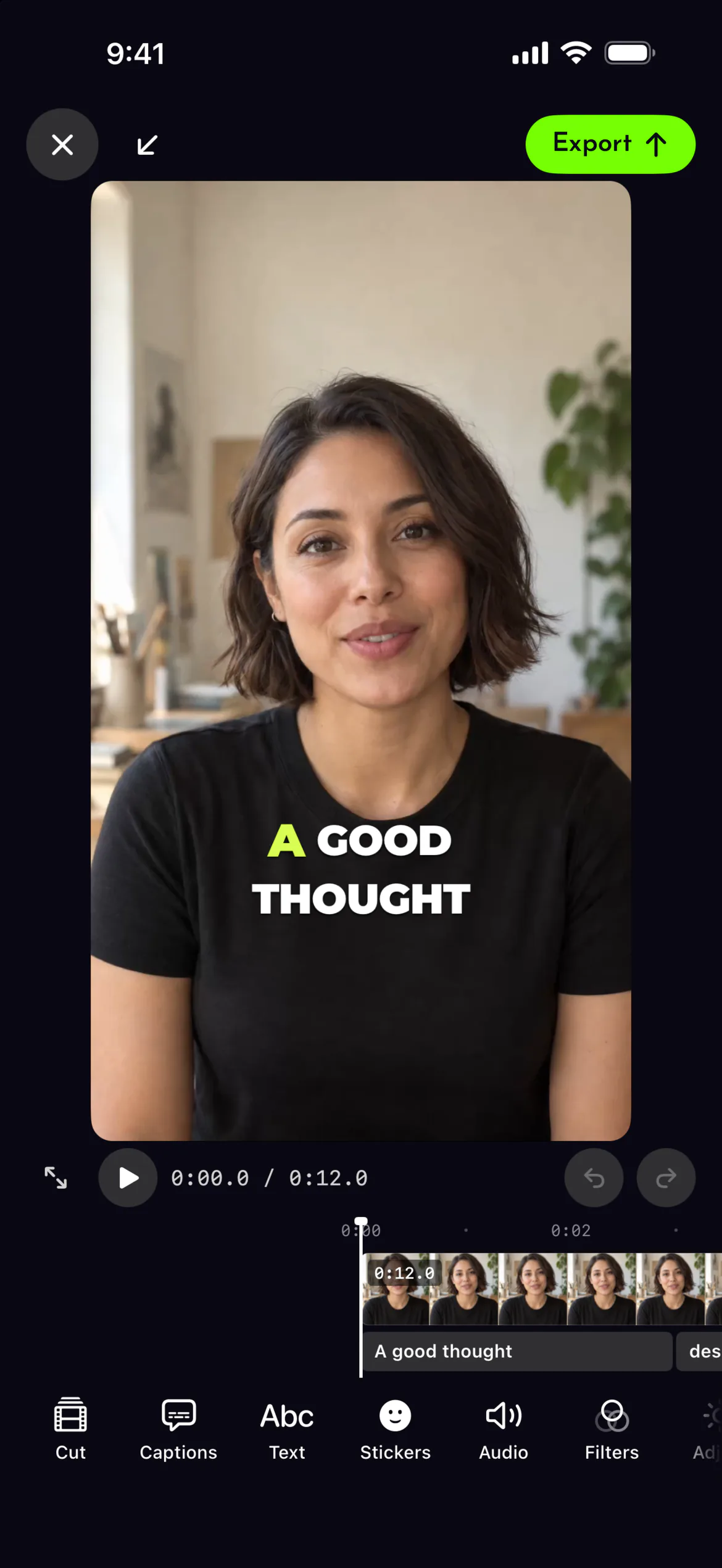
Recorded in segments with AVFoundation, so a stumbled sentence can be redone mid-take, then added one-tap silence cuts, captions and a full video editor on the phone.
Built an AI editor on Claude that turns a plain request into one reviewable edit plan of up to 200 operations, applied as a single undo step.
Wrote the backend in Go with PostgreSQL for Apple and Google sign-in, App Store subscriptions, AI credits, push notifications and posts published now or on a schedule.
Designed and built lightshot.pro in plain HTML, CSS and JavaScript, with feature, guide and comparison pages and structured data for search.
How Lightshot is built
Luminous designed and engineered all three parts: the native app people record with, the backend that signs them in and publishes their videos, and the website that explains it.
A native SwiftUI app built around the front camera
The script sits in one line under the front camera, so the speaker's eyes stay near the lens. Speech recognition runs on the iPhone, and when the speaker redoes a sentence the recorder keeps everything said before it.
After the take, the same app cuts the silences, adds captions, edits, reshapes the video for each network and posts it.
- Swift
- SwiftUI
- SwiftData
- AVFoundation
- Speech framework
- Apple Intelligence
- StoreKit 2
- Vision
- Core Image and Metal
- watchOS
- XCTest and Swift Testing
A Go backend for accounts, subscriptions and publishing
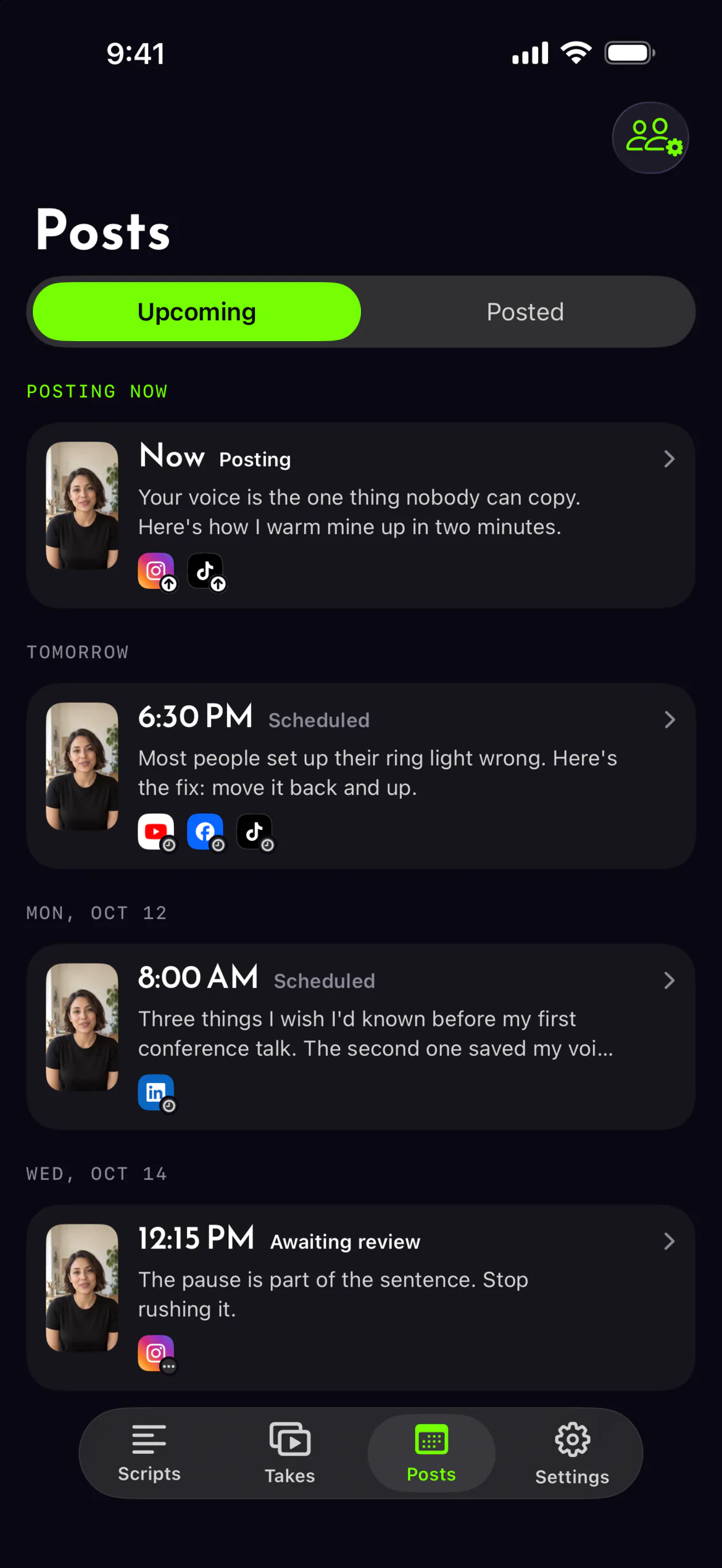
Lightshot's backend is written in Go with PostgreSQL. It signs people in with Apple or Google, checks their App Store subscription, keeps track of AI credits, sends push notifications and publishes each finished video to the networks they choose, straight away or at a scheduled time.
- Go
- PostgreSQL
- JSON API
- Sign in with Apple
- Google Sign-In
- App Store subscriptions
- Push notifications
- Social publishing
- Claude API
lightshot.pro in plain HTML, CSS and JavaScript
The website uses no front-end framework: plain HTML, CSS and JavaScript modules, built by a small Node script. It holds 80 pages of features, guides, comparisons and help, with structured data on every page and IndexNow so search engines hear about changes.
- HTML
- CSS
- JavaScript modules
- JSON-LD structured data
- IndexNow
- Playwright
- axe accessibility testing
What Lightshot can do
Everything below is in the version of Lightshot on the App Store.
End-to-end AI editing
- Six modes: chat, edit, highlights, fix captions, translate and post copy, for the whole edit, a selected piece or a marked stretch
- Claude returns one structured edit plan of up to 200 operations, drawn from 122 operation types in 20 families
- Word-level cuts, trims, splits, speed curves, freeze frames and reverse
- Captions searched across all 1,292 styles, retimed, or translated as a layer or in place
- Titles, lower thirds, B-roll, split layouts, masks, chroma key, charts, Lottie and particles
- Music cut to the beat, voice EQ, noise removal and voice-overs
- Every change is listed with the words a cut would remove, and new text is checked for safe area, size, overlap and contrast before it applies
- Applies all or nothing as one undo step, and a plan goes stale if you edit by hand first
- Draw on the paused video and speak a note, and choose from five effort levels
- Sends the transcript and a description of the edit, never the video; reference stills only with separate consent
Voice-following prompter
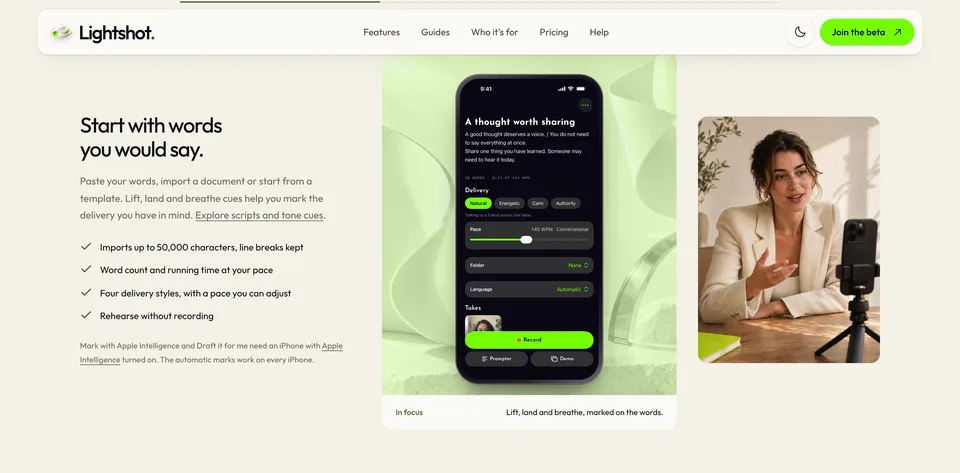
- On-device speech recognition with Apple's SpeechAnalyzer
- Learns your speaking rate and never runs more than 3.5 words ahead of the last word it heard
- Settles on the next unread word after 0.9 seconds of silence
- Holds its place through ad-libs, and matches more strictly after three unmatched words
- Apple Intelligence tone marks show where a line lifts, lands and breathes
- Imports TXT, Markdown, RTF, PDF or Word scripts up to 50,000 characters, or drafts one from a template
- Control it from an Apple Watch, a Bluetooth remote or a foot pedal
Recording
- Takes are recorded in parts, so you redo the last sentence and keep the rest
- Interruptions pause the take, and crash recovery restores unsaved parts at the next launch
- Front or back camera, 1080p or 4K at 24, 30 or 60 fps where the camera supports it
- Two-iPhone mode: one phone films while the other prompts, paired with a six-digit code
- Demo takes: narrate in a bubble over a screen recording
Editing and captions
- Silence cuts measured against each take's own noise floor
- 1,292 caption styles with word-level timing
- 37 effects, 34 transitions and 34 looks
- Up to four overlay videos
- Noise removal with Apple's voice isolation at three strengths
- Caption translation with Apple's Translation framework
- Face, person and tracking tools built on Vision
Export and publishing
- Original, 1080p, 4K or 8K, offered only at sizes the iPhone's encoder accepts
- Super-resolution upscaling to 4K and 8K with VideoToolbox
- 9:16, 4:5, 1:1 and 16:9 from one edit
- GIF, SRT and WebVTT exports
- Post now or schedule from 10 minutes to 30 days ahead
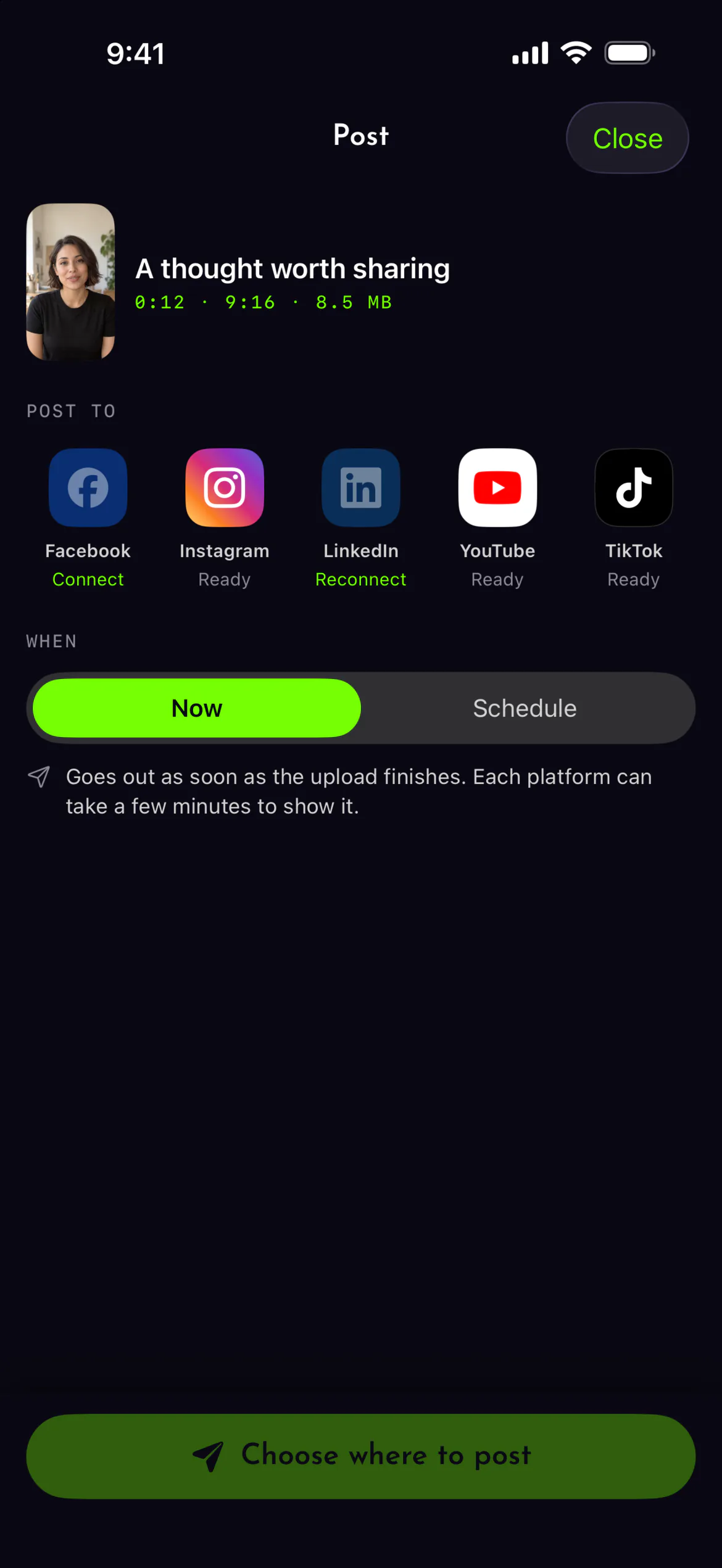
- Posts to Facebook, Instagram and LinkedIn; YouTube and TikTok are switched off for now
What the build delivers
Concrete product and engineering characteristics documented in the working build.
Product details reflect the reviewed build and its documented delivery state.